翻译状态: 此任务示例目前仅提供英文版本。
Shape-level Classification Example
Multi-task Classification
Multi-task classification assigns multiple attributes to each object, such as vehicle color and type.
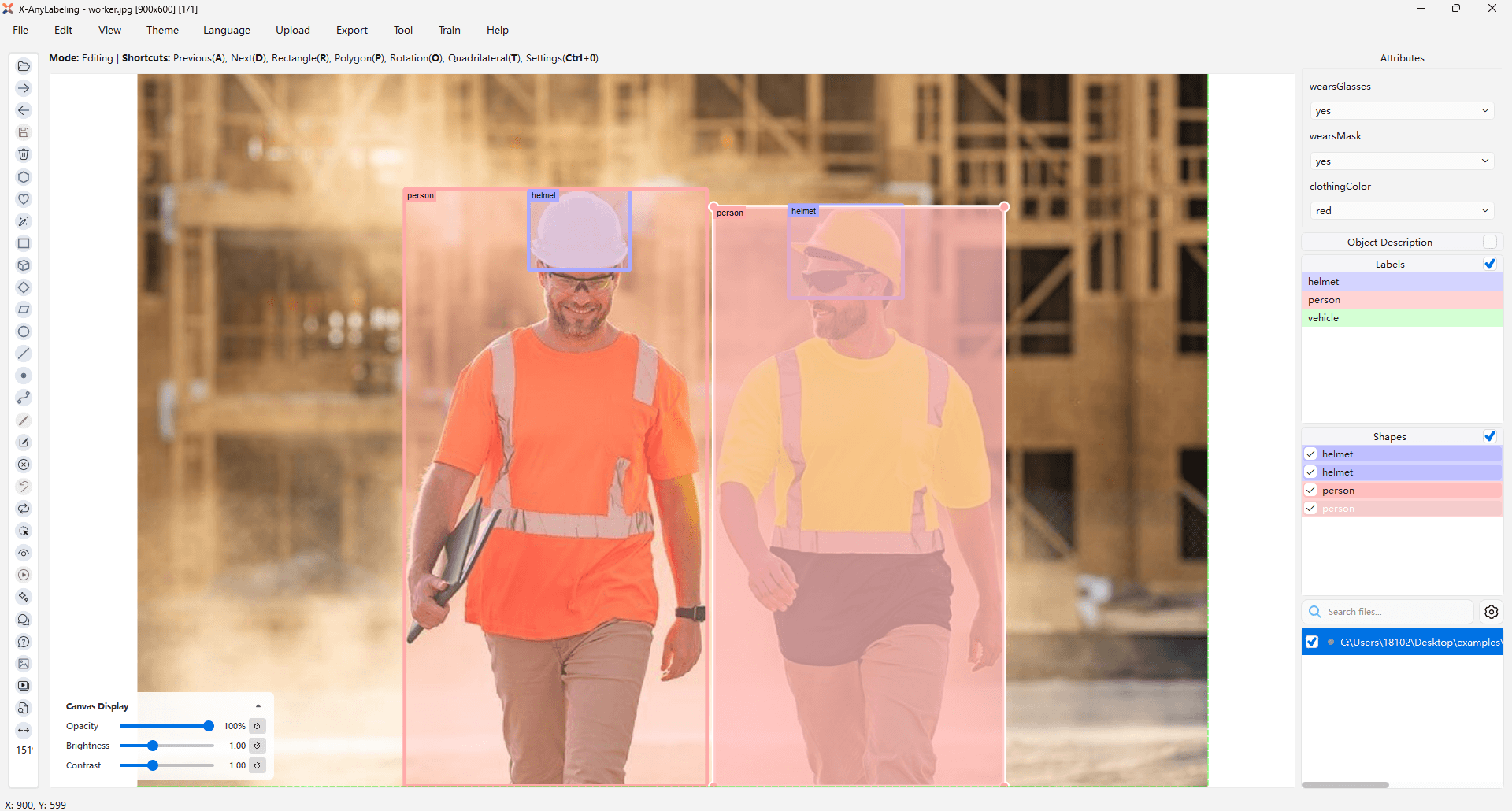
Prepare an attributes.json file whose keys match the object labels:
{
  "vehicle": {
    "bodyColor": ["red", "white", "blue"],
    "vehicleType": ["SUV", "sedan", "bus", "truck"],
    "occluded_by": [],
    "note": ""
  },
  "__widget_types__": {
    "vehicle": {
      "bodyColor": "radiobutton",
      "vehicleType": "combobox",
      "occluded_by": "group_id",
      "note": "lineedit"
    }
  }
}
Supported widget types are combobox (default), radiobutton, group_id, and lineedit. See the output example.
Open an image folder with object annotations, launch the Image Classifier (Ctrl+3 / ⌘+3), and select MultiTask. Use the upload icon beside the object selector to load the attributes file, then select an object to edit its attributes. The configuration is also available in the main window.
Alternatively, configure a VLM in Chatbot for AI-assisted attribute annotation. See the Image Classifier guide for details.
To customize attribute label colors on the canvas, set background_color, border_color, and text_color under canvas.attributes in .xanylabelingrc, using RGBA values.
Multiclass & Multilabel Classification
Shape-level annotations also support multiclass and multilabel flags. Prepare a label_flags.yaml file and load it through Upload → Label Flags, or pass it on the command line:
python anylabeling/app.py --labels labels.txt --labelflags label_flags.yaml --validatelabel exact
The labelflags keys support regular expressions. See the output example and the image-level classification example.