Oriented Bounding Boxes Object Detection Example
Introduction
Oriented object detection surpasses standard object detection by adding angular precision to pinpoint objects in images.
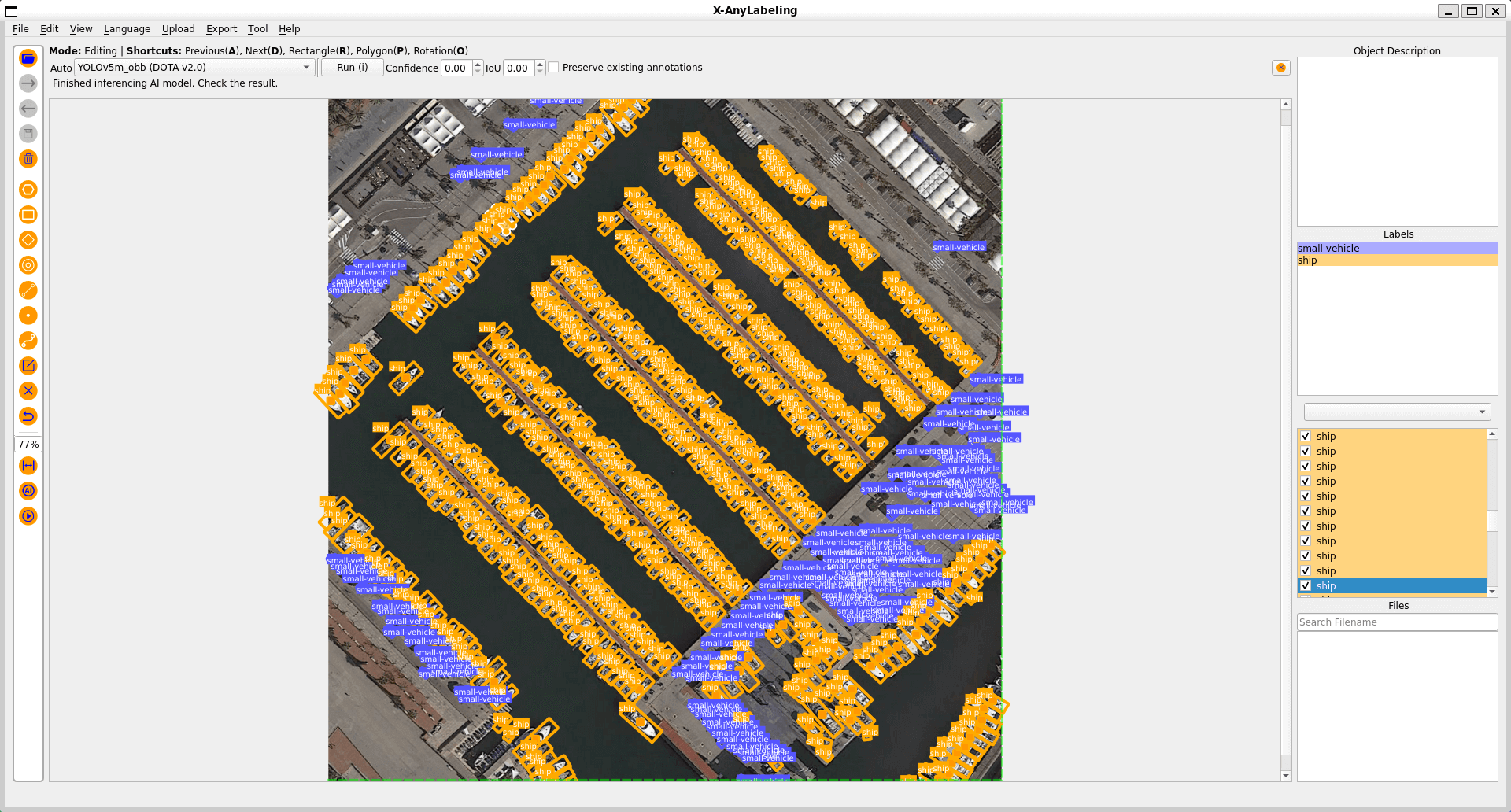
Usage
To annotate rotated objects:
- Import the image file.
- Click the
Rotationbutton on the left toolbar, or pressO, to draw a rotated box. - Click a rotated box to select it, then click and hold the circular handle above the box and drag it to adjust the rotation angle. You can also use the following shortcut keys:
| Shortcut Key | Description |
|---|---|
| z | Rotate counterclockwise by a large angle (default: 1.0°) |
| x | Rotate counterclockwise by a small angle (default: 0.1°) |
| c | Rotate clockwise by a small angle (default: 0.1°) |
| v | Rotate clockwise by a large angle (default: 1.0°) |
To display rotation angles, open View in the menu bar and enable Show Degrees.
Note
Rotation increment customization
You can customize the rotation increment angles by configuring the .xanylabelingrc file in your user directory. Add or modify the following settings under the canvas section:
canvas:
  rotation:
    large_increment: 1.0  # degrees, corresponds to Z/V keys
    small_increment: 0.1  # degrees, corresponds to X/C keys
The increment values are specified in degrees and can be adjusted to suit your annotation precision requirements.